
In Settings › Email formatting you choose the font your new email drafts start with, so your emails to suppliers and colleagues look the way you're used to from your own mail client.
Set your default font
- Open Settings › Email formatting (under “Personal”).
- Under Default font, pick the font family and font size.
- The preview shows right away how a draft will look. Your change is saved automatically.
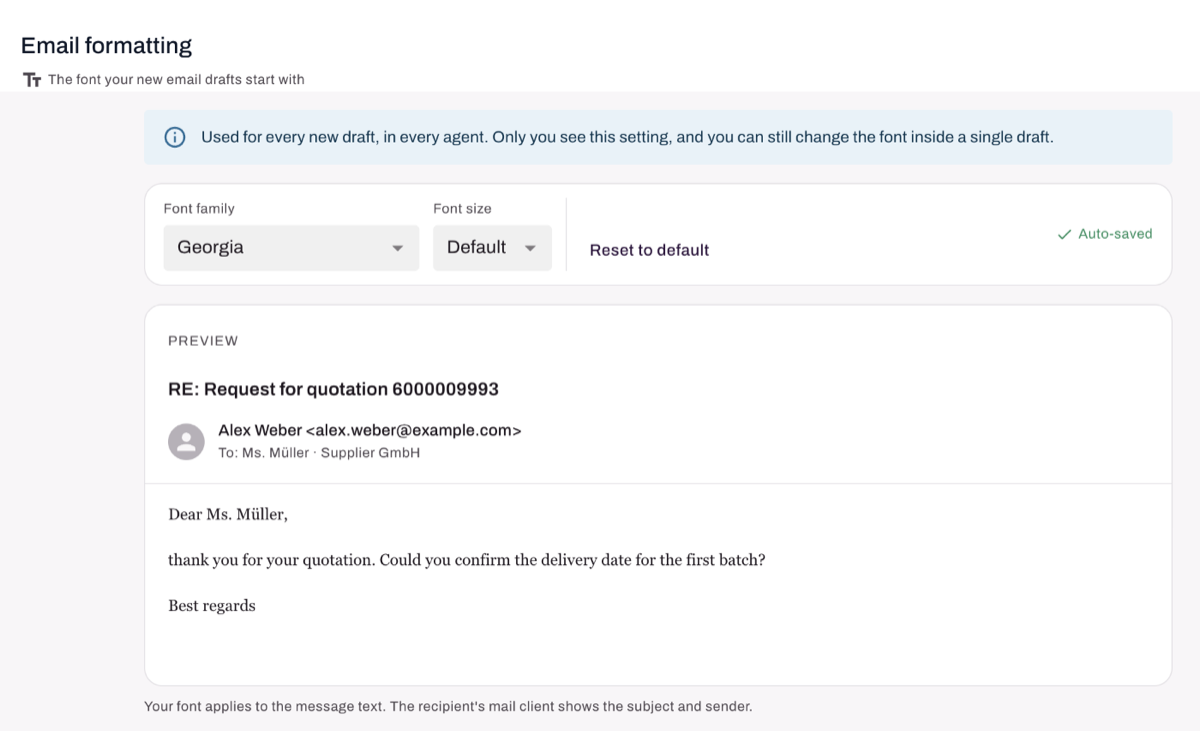
“Mail client default” and “Default” leave the look to the recipient's mail client. “Reset to default” takes you back there.
What the setting applies to
- Every new draft, in every agent: RFQs, negotiation emails, order confirmation emails and internal emails.
- Only you. Your colleagues set their own font.
- The font applies to the message text. The recipient's mail client shows the subject and sender as usual.
- You can still change the font inside a single draft.